
Zum Inhalt springen
Deutsch Chevron
Niederlande EUR Chevron

Schon über 10.000 Kunden

Folge uns auf Instagram
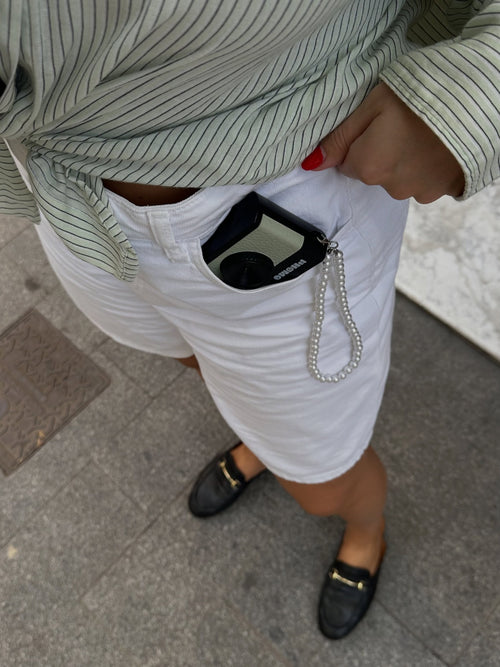
Phomo creator video
Phomo creator video
Phomo creator video
Phomo creator video
Phomo creator video
  • Kostenloser Versand ab 80 €
  • Vor 17 Uhr bestellt, heute versendet
  • 30 Tage Rückgaberecht
  • Fotos direkt aufs Handy
  • Vier Retro-Filter

Phomo vs. Einwegkamera

Tausende Fotos. Kein Entwickeln mehr.

Phomo Einwegkamera
Anzahl Fotos2000 pro SD-Karte27 pro Kamera
Direkt aufs HandyEntwickeln dauert Wochen
Vintage-Look & Retro-Filter
Gleichbleibende QualitätSchwankend
NutzungUnbegrenztEinmalig

Vier Filter

Eine Kamera. Vier Looks.

Du wählst den Filter direkt an der Kamera, bevor du das Foto machst. Dasselbe Foto, auf vier Arten.

Standard Farben, wie du sie siehst.
Retro Warme, verblasste Vintage-Töne.
Analog Der weiche Look von Film.
Schwarzweiß Zeitloses Schwarzweiß.

Lass dich inspirieren @phomo.cameras auf Instagram

#phomomoment

So funktioniert's

Vier Schritte. Keine App nötig.

  1. Einschalten

    Drücke die Ein-/Aus-Taste.

  2. Wähle deinen Filter

    Standard, Schwarzweiß, Analog oder Retro.

  3. Foto machen

    Drücke den Auslöser.

  4. Übertragen per USB-C

    Mit Handy oder Laptop verbinden.

Frequently asked questions

What is the delivery time?

Orders placed on business days before 5:00 PM are shipped the same day. Most orders within the Netherlands are delivered within 1–2 business days. Please check our shipping policy for delivery times to other countries. If a product is temporarily low in stock, delivery may take approximately 3–4 business days.

How do I download my photos?

Connect your Phomo Camera to your iPhone, laptop or computer and make sure the camera is turned on.

On your iPhone, open the Photos app. A folder called ‘PHOMO’ or an import button will appear, allowing you to view and import your photos.

On a laptop or computer, the camera will appear as an external device. Open it to view, save, edit or share your photos.

For older iPhones with a Lightning port, you’ll need the Phomo adapter. If your laptop or computer doesn’t have a USB-C port, use a USB-C-to-USB-A cable or adapter.

How many photos can I take?

With the included 8GB SD card, you can store approximately 2,000 photos. Want even more storage space? You can use your own SD card with a capacity of up to 128GB.

More questions

Was Kunden sagen

I
Phomo
Inge
Blij 😍

Sinds een week deze camera in huis. Wat heb ik er al van genoten. Een digitale camera is leuk, maar niet altijd handig om mee te nemen of qua gebruik. En dit cameraatje is gewoon lekker weer ouderwets genieten. Hopen dat je iets leuks schiet op een spontaan moment. Even geen telefoon, helemaal in het moment. En de filters zijn top! De camera gaat absoluut mee op vakantie en voortaan in het tasje.