 EUR
EUR


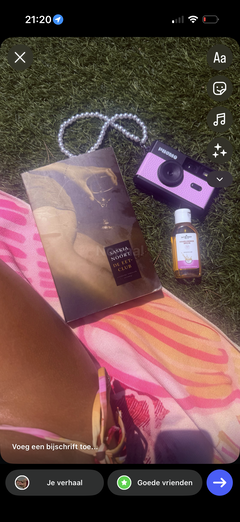
Olive pearl accessory


Make your Phomo complete


With the Phomo Camera, you can capture your favourite memories without being distracted by a screen. Thanks to its screen-free design, you can stay completely in the moment.
The camera comes with an SD card, making it easy to transfer your photos to your phone or laptop afterwards. No expensive or time-consuming development required.
Compact, easy to use and equipped with four unique filters for a retro look. Perfect for travelling, festivals or simply a fun day out.
- Image sensor: 1/3.2" CMOS
- Resolution: 8 megapixels
- Lens: Fixed focus
- Focal length: 4.2 mm
- Focus range: 0.5 m to infinity
- Battery: Lithium-ion
- Speaker: ⌀20 mm, 0.5 W
- Weight: 99 grams
- Connection: USB Type-C
- Storage capacity: 8 GB (2,500 photos)
- Storage medium: MicroSD card
- Photo file format: JPEG
- Photo resolution: 3264 × 2448 pixels
- White balance: Automatic
- Built-in lighting: 2 × 3 W LED lights
- Shutter speed: 0–1 second
Shipping:
Place your order before 5:00 PM from Monday to Friday (excluding public holidays), and we’ll ship it the same day. Orders placed after 5:00 PM will be shipped on the next business day. This means you’ll never have to wait long for your Phomo Camera.
Returns:
We hope you’re happy with your purchase. Is something not quite right? We’ll be happy to help. You have 30 days from the day you receive your order to register a return.

How it works


Choose your filter


FAQ
Orders placed on business days before 3:00 PM are shipped the same day. Most orders within the Netherlands are delivered within 1–2 business days. Please check our shipping policy for delivery times to other countries. If a product is temporarily low in stock, delivery may take approximately 3–4 business days.
Connect your Phomo Camera to your iPhone, laptop or computer and make sure the camera is turned on.
On your iPhone, open the Photos app. A folder called ‘PHOMO’ or an import button will appear, allowing you to view and import your photos.
On a laptop or computer, the camera will appear as an external device. Open it to view, save, edit or share your photos.
For older iPhones with a Lightning port, you’ll need the Phomo adapter. If your laptop or computer doesn’t have a USB-C port, use a USB-C-to-USB-A cable or adapter.
With the included 8GB SD card, you can store approximately 2,500 photos. Want even more storage space? You can use your own SD card with a capacity of up to 128GB.